Close Menu
  • Business
  • News
  • Education
  • Technology
  • Fashion
  • Health
  • UtdPlug
    • Utd Plug
What's Hot

Unlock Radiance: Discover the Best Face Oil for Glowing Skin

April 23, 2026

Revolutionising Skin Rejuvenation with Sofwave Technology

April 23, 2026

Bakuchiol Serum: The Natural Alternative to Retinol for Radiant Skin

April 23, 2026
Facebook X (Twitter) Instagram
Trending
  • Unlock Radiance: Discover the Best Face Oil for Glowing Skin
  • Revolutionising Skin Rejuvenation with Sofwave Technology
  • Bakuchiol Serum: The Natural Alternative to Retinol for Radiant Skin
  • Optimizing Operations with Expert Warehouse Labour Hire Solutions
  • Why Hiring a Buyers Agent Can Transform Your Property Purchase Experience
  • Transform Your Skin with Radio Frequency Skin Tightening
  • Why Exposed Underlayment Deteriorates Faster Than Expected
  • What Is a Low-Loss Header and Why It Matters in Modern Heating Systems
Facebook X (Twitter) Instagram
Monday, April 27
UTDPlug
  • Business
  • News
  • Education
  • Technology
  • Fashion
  • Health
  • UtdPlug
    • Utd Plug
UTDPlug
Home » Laser Scanning – Modern Technology for Precise 3D Data Acquisition
Technology

Laser Scanning – Modern Technology for Precise 3D Data Acquisition

adminBy adminOctober 20, 2025
Facebook Twitter Pinterest LinkedIn Tumblr Email
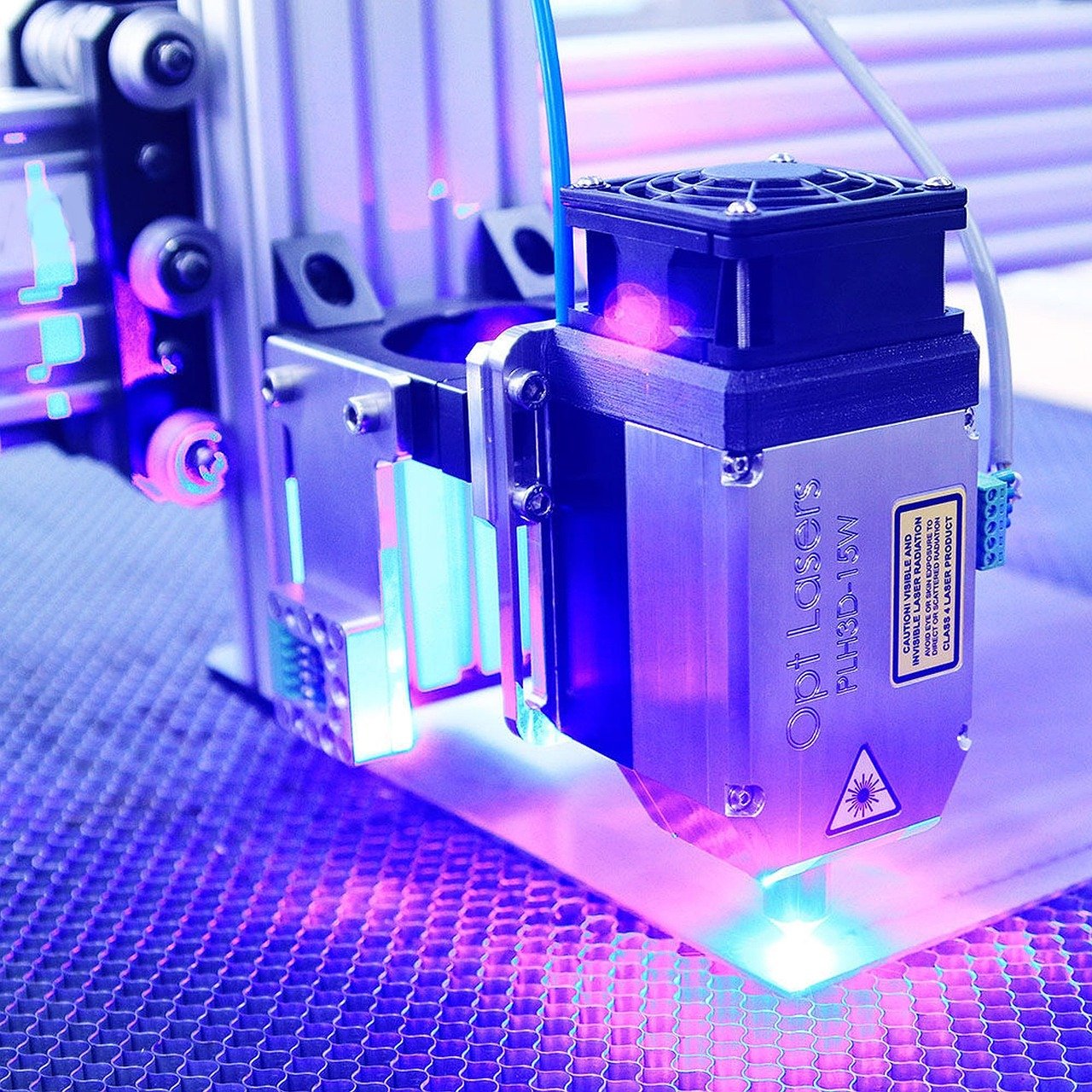
Laser Scanning
Share
Facebook Twitter LinkedIn Pinterest WhatsApp Email

Modern surveying methods, such as 3D laser scanning, have revolutionized the way we collect, process, and visualize spatial data. From terrestrial laser scanning to airborne and satellite laser scanning, these technologies allow specialists to create accurate digital models of terrain, objects, and structures.

  1. What is Laser Scanning?
  2. Types of Laser Scanning
  3. How Laser Scanning Works

They are now widely used in engineering, construction, heritage documentation, and forestry.

What is Laser Scanning?

Laser scanning is a non-contact measurement method that uses a laser beam to record the geometry of surfaces and objects. The device sends out a series of laser pulses per second, which are reflected back from the surface being measured. Each reflection is registered as a point in a point cloud, representing the precise distance between the scanner and the object.

This data can later be processed using specialized software to create a digital 3D model of the scanned area or structure. The result is a highly detailed and accurate representation of real-world conditions.

Types of Laser Scanning

There are three main types of laser scanning technologies:

  • Terrestrial Laser Scanning (TLS) – also called naziemny skaning laserowy, is performed from the ground using stationary or mobile scanners. It is ideal for capturing detailed data of buildings, monuments, and industrial facilities.
  • Airborne Laser Scanning (ALS) – or airborne laser, involves scanners mounted on aircraft or drones. It is commonly used for mapping large areas, forest analysis, and topographic modeling.
  • Satellite Laser Scanning – provides large-scale coverage for environmental monitoring and geographic data modeling. It offers less detail than TLS but a much broader range.

Each method differs in precision, resolution, and range, but all rely on the same laser measurement principle.

How Laser Scanning Works

A laser scanner measures millions of points per second, capturing the exact geometry of the surrounding environment. The device calculates the distance between itself and each point by measuring the time it takes for the laser pulse to return.

The collected data from point clouds can then be combined, filtered, and processed to form an accurate 3D model. Depending on the purpose, the final model may represent architectural details, landscape features, or entire historic sites. Advanced algorithms allow for the precise reconstruction of even the smallest surface irregularities, ensuring a faithful digital twin of the scanned object. These models can then be analyzed, measured, or integrated with other spatial datasets for research, design, or conservation purposes.

Share. Facebook Twitter Pinterest LinkedIn Tumblr Email
Previous ArticleDoes a White Hat Link Building Service Actually Work for Growing Your Business?
Next Article Space Force Orbital Warship Carrier: The Future of Space Defense
admin
  • Website

Related Posts

What Is a Low-Loss Header and Why It Matters in Modern Heating Systems

April 21, 2026

How Do Portable Projectors Work Outdoors Effectively?

April 20, 2026

Step-by-Step to Your Ultimate Gaming PC in Australia

April 20, 2026
Leave A Reply Cancel Reply

Latest Posts

Unlock Radiance: Discover the Best Face Oil for Glowing Skin

April 23, 20266 Views

Revolutionising Skin Rejuvenation with Sofwave Technology

April 23, 20264 Views

Bakuchiol Serum: The Natural Alternative to Retinol for Radiant Skin

April 23, 20266 Views

Optimizing Operations with Expert Warehouse Labour Hire Solutions

April 23, 20264 Views
Stay In Touch
  • Facebook
  • Twitter
  • Pinterest
  • Instagram
  • YouTube
  • Vimeo
Don't Miss

Where Is Brandon from Black Gold Now? (Full Story Inside)

By adminJuly 4, 2025

Many people still wonder where Brandon from Black Gold is now. He was one of…

Sydney Sweeney Measurements: All You Need to Know

July 7, 2025

Sonya Nicole Hamlin: The Untold Story of Idris Elba’s Ex-Wife

September 24, 2025

Mufcmpb

About Us

UtdPlug is a dedicated blog website providing the latest news, updates, and insights related to Manchester United Football Club. It offers fans in-depth analysis, match previews, transfer news, and other club-related content.

Facebook X (Twitter) Pinterest YouTube WhatsApp
Our Picks

Unlock Radiance: Discover the Best Face Oil for Glowing Skin

April 23, 2026

Revolutionising Skin Rejuvenation with Sofwave Technology

April 23, 2026

Bakuchiol Serum: The Natural Alternative to Retinol for Radiant Skin

April 23, 2026
Contact Info

Email At: Utdplug.co.uk@gmail.com

🟢 WhatsApp Only Contact

WhatsApp Only:
📞 +92 307 2678275

Copyright © 2026 UtldPlug All Rights Reserved.
  • About Us
  • Contact Us
  • Privacy Policy

Type above and press Enter to search. Press Esc to cancel.