
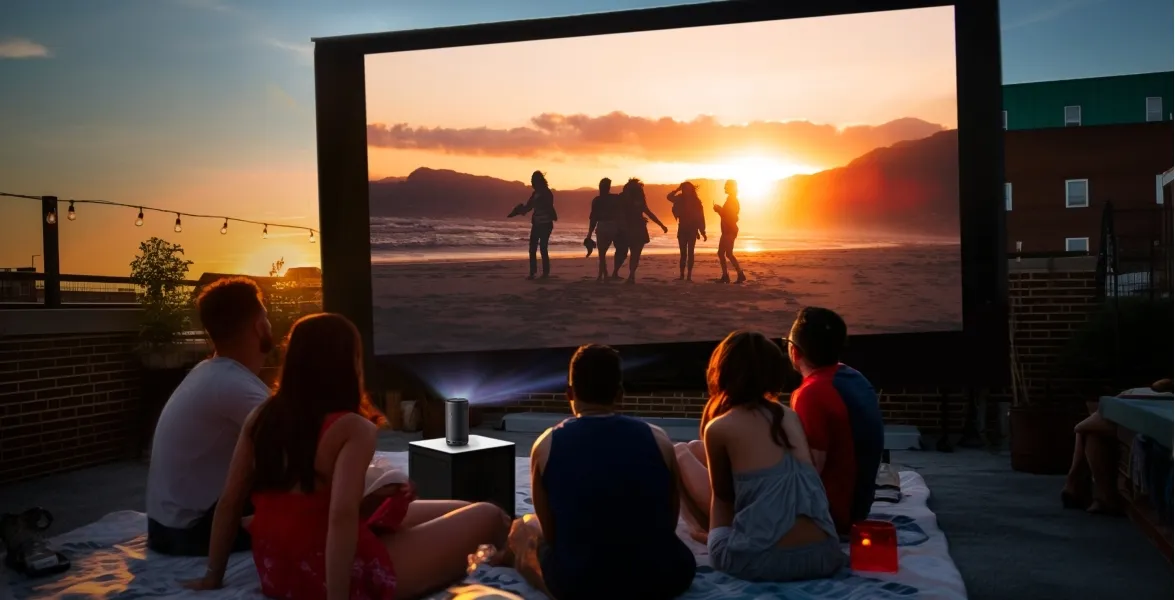
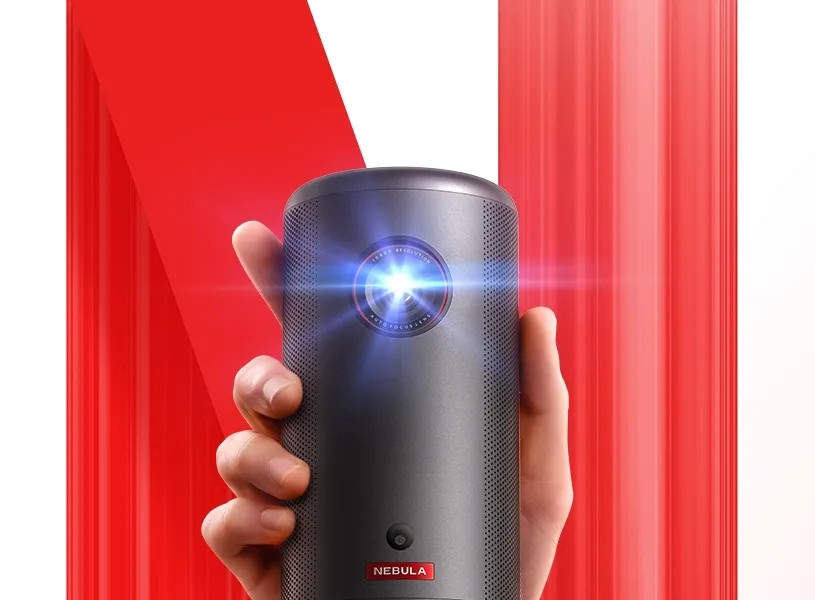
Portable projectors turn any backyard, campsite, or balcony into a mini theater, but outdoor conditions can make or break the experience. Brightness, distance, sound, and even the weather all affect how well a projector performs outside. Devices like the soundcore Nebula Capsule 3 show how compact projectors can still deliver large images. It offers a 1080p display, up to a 120‑inch screen, and 200 ANSI Lumens of brightness. Features such as Intelligent Environment Adaptation Technology help users get sharp, aligned images quickly by handling autofocus, keystone correction, and obstacle avoidance in just 3 seconds.
How Do Portable Projectors Function Outdoors?
How Projection Technology Displays Images Outside?
Portable projectors use a light source, lenses, and imaging chips to cast a picture onto a surface. Indoors, walls can work, but outdoors, a proper screen usually gives better results. The projector takes video input from a phone, laptop, or streaming app, then sends light through its optics to form a 2D image. Models like the soundcore Nebula Capsule 3 add 1080p resolution for sharp detail. When you move outdoors, the same process happens, but distance, screen size, and ambient light strongly influence how clear that image looks.
Why Brightness and Lumens Matter in Outdoor Use?
Brightness determines whether people can actually see the image once you leave the living room. Manufacturers measure brightness in lumens or ANSI Lumens. Higher numbers help fight ambient light from street lamps, porches, or early evening skies. A projector like the soundcore Nebula Capsule 3 with 200 ANSI Lumens works best at night or in very shaded areas, especially at larger sizes like 120 inches. During dusk or under lights, even a bright projector can look washed out, which is why many outdoor movie fans start shows after dark.
Key Factors That Affect Outdoor Performance
Ambient Light, Screen Choice, and Viewing Conditions
Outdoor movie nights depend heavily on how much stray light hits the screen. Porch bulbs, nearby windows, or even a bright moon can reduce contrast and make scenes look flat. You can improve results by turning off nearby lights and choosing a matte white or gray screen rather than a rough wall or garage door. Tensioned fabric screens resist wrinkles that distort the picture. Place seats within a comfortable viewing angle and keep the screen stable against the wind. These steps help the portable projector deliver a clearer, more cinematic outdoor image.
Sound Quality and Built-In Audio Systems
Visuals often get the attention, but audio can make or break outdoor viewing. Many portable projectors include built‑in speakers to keep gear minimal. Compact models, including the soundcore Nebula Capsule 3, usually provide enough volume for a small group on a patio, especially when people sit close. For larger yards or noisy areas, consider pairing the projector with a Bluetooth speaker or wired soundbar. Keep the speaker in front of the audience, not behind them. Check for audio delay over Bluetooth and, if needed, use wired connections to keep dialogue synced.
Weather Resistance and Durability Features
Most portable projectors are not fully waterproof, so users must protect them from rain, dew, and dust. Avoid placing the projector directly on the ground, where moisture and dirt can enter ports. Use a stable table or tripod and keep vents clear to prevent overheating. Some projectors include more rugged designs or basic splash resistance, but they still should not stay outside overnight. Store the device in a padded case and let it cool before packing. Careful handling helps the projector deliver bright outdoor movies season after season.
Setup Tips for Using Portable Projectors Outdoors
Choose the Right Placement and Throw Distance
Placement sets the foundation for a sharp, bright image. Each projector has a throw ratio, which defines how far it must sit from the screen for a given size. Check the manual or product page, then measure your space before movie night. Set the projector on a stable surface or tripod directly facing the screen. For a 120‑inch image, a compact model like the soundcore Nebula Capsule 3 needs enough distance to fill the screen without losing brightness. Avoid placing it where people will walk through the beam.
Adjust Focus, Keystone, and Screen Alignment
Once the projector is in place, fine-tuning makes the image look professional. Start by adjusting focus until text and faces look crisp across the entire screen. If the projector sits slightly off‑center or below the screen, keystone correction can fix a trapezoid shape. The soundcore Nebula Capsule 3 simplifies this with Intelligent Environment Adaptation Technology, which performs auto keystone correction, autofocus, and obstacle avoidance in just 3 seconds. After these automatic adjustments, make minor manual tweaks as needed to ensure straight edges and a well‑framed picture.
Conclusion
Portable projectors can create impressive outdoor movie nights when users understand how they work in open environments. Brightness, screen size, and ambient light shape how clear the image appears, while sound and weather protection affect comfort and reliability. A compact device such as the soundcore Nebula Capsule 3 shows how 1080p resolution, 200 ANSI Lumens, and smart auto adjustments can simplify setup, even for beginners. By choosing the right placement, using a proper screen, and protecting the projector from the elements, viewers can enjoy sharp, immersive films under the stars with minimal hassle.
You May Also Read: What Is a Low-Loss Header and Why It Matters in Modern Heating Systems
