
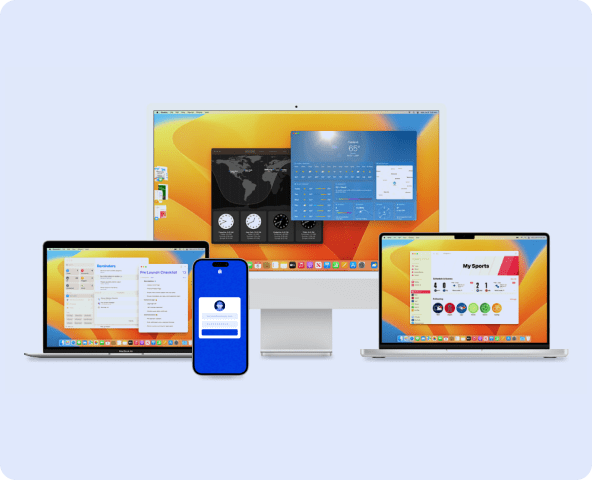
A lot of companies use Apple devices across different teams now. In some places it might just be a few MacBooks for office staff, but in others there could be dozens of iPhones with people who are always traveling or working from home. These devices are popular because they are simple to work with and do not need much training from IT.
As the number of devices grows, keeping track of them becomes trickier than most people expect. A few machines end up skipping updates, some end up with apps that no one remembers installing, and security settings can drift if nobody is watching closely. When employees move between networks or spend most of their time on the road, it gets even harder to keep everything lined up.
To deal with the situation, many organizations end up using Apple MDM software. It gives IT teams one place to check on devices, push changes, and set basic rules without having to collect every laptop or phone in person.
Why do organizations need MDM for Apple devices?
A few years ago, most company devices stayed inside the office, connected to the same network and easy for IT to watch over. That is not the case anymore. People hop between home Wi-Fi, airport hotspots, hotel networks, and even their phone’s data when they are traveling. Each of these connections comes with its own risks. To keep business operations smooth, teams often rely on remote access software for Mac and ipads, allowing employees to work securely from anywhere. But this also increases the need for strong oversight. If an iPad goes missing or a MacBook is running an outdated OS, there is a real chance that private business data could leak.
Apple MDM helps solve these problems by:
- Bringing devices under a unified policy system
- Ensuring only compliant devices access sensitive resources
- Offering remote support without physical presence
- Allowing IT teams to configure thousands of devices consistently
When used correctly, MDM becomes the foundation of endpoint security and operational control.
Key capabilities of Apple MDM software
Most Apple MDM platforms share a few features that make everyday device work a lot easier, especially once your fleet grows. While each tool has its own approach, these are the areas you will usually work with the most.
- Zero-touch setup and enrollment: With Apple Business Manager linked to an MDM, new devices can be assigned the right settings before anyone even turns them on. When an employee signs in for the first time, the device already knows which apps to install and which rules to follow. It saves a surprising amount of time during onboarding and avoids configuration mistakes.
- Centralized app management: Software tends to get messy if people install whatever they find online. Through an MDM dashboard, IT teams can roll out approved apps, remove ones that are not allowed, and push updates when security patches are released. This reduces the chance of outdated programs sitting quietly on a device.
- Configuration profiles for different roles: Not everyone needs the same tools or permissions. Some departments require VPN access and network drives, while others only need basic communication apps. Configuration profiles let you group devices based on a person’s job and assign settings in one step, instead of adjusting them manually every time.
- Security and compliance controls: An MDM platform can enforce rules around passcodes, encryption, Wi-Fi networks, and even whether data can be backed up to personal cloud accounts. If something falls out of compliance, the system can flag it so IT can take action instead of waiting for someone to report it.
- Remote support and troubleshooting: When a device is not in the same building as the IT team, remote controls become very useful. Administrators can lock a lost device, remove company data, reboot it, or clear a forgotten passcode. These tools help keep work moving without waiting for the employee to return to the office.
How to manage Apple devices effectively using MDM?
After you roll out an MDM tool, the real work is figuring out how your team will use it every day. The setup process matters, of course, but what really makes a difference is staying consistent over time. Without that, devices slowly slip out of alignment and security gaps start to open up.
1. Enroll All Devices First
Enrollment creates the foundation for control. Start by connecting your devices to Apple Business Manager, then link ABM to your MDM platform. From this moment, every new device can be configured automatically. For existing hardware, schedule phased enrollment so employees aren’t overwhelmed.
2. Apply Configuration Profiles Thoughtfully
Device rules should reflect the actual work employees do. For example:
- Content creators may need external storage access.
- Customer-facing roles may require kiosk-style restrictions.
- Executives may require stronger compliance controls.
MDM makes these differences easy to implement without creating one giant, complicated policy.
3. Deploy Apps Centrally
Instead of relying on employees to install apps on time, push apps through your MDM dashboard. You can roll out updates gradually if you want to test critical software first. This reduces downtime caused by buggy versions or incompatible plug-ins.
4. Enforce Security Controls
With MDM, you can require device encryption, configure VPN profiles, block risky websites, and disable features like AirDrop or camera access if needed. When policies run silently in the background, employees stay protected without feeling policed.
5. Push OS and App Updates
Regular updates close vulnerabilities that attackers often target. MDM lets you either schedule them during off-hours or defer them if new releases are unstable. This balance keeps fleets secure without disrupting active project cycles.
6. Create Logical Groups
As your team grows, user groups matter more than ever. Grouping allows quick policy assignment, easier audits, and faster troubleshooting. When someone changes roles, you simply move the device to a new group — no manual resets.
7. Use Remote Commands
If a device is misplaced, MDM can place it into Lost Mode and display a custom message. If an employee leaves unexpectedly, IT can selectively remove business data without touching personal content. These capabilities protect sensitive information in real-world situations.
8. Track Compliance Continuously
Compliance dashboards offer a quick snapshot of device health. It helps IT teams spot suspicious activity, outdated systems, or unauthorized apps early — before they escalate into security incidents.
9. Support BYOD Without Invading Privacy
Companies can adopt “work profiles” so business data stays in a managed container. Employees keep full control of personal apps and files. This encourages adoption while meeting corporate risk requirements.
10. Integrate Identity and Access Controls
Pairing MDM with identity solutions brings conditional access into play. Devices must meet posture policies (encryption, OS version, storage space) before connecting to critical applications. This layered approach blocks attackers who steal credentials but lack a trusted device.
How to choose an Apple MDM solution?
Choosing an MDM for Apple devices sounds straightforward, but once you begin comparing a few of them, it turns into more research than most people expect. A lot of tools advertise the same things, and on the surface they all look good. It really depends on how your company works day to day. Think about how often devices move between teams, how quickly IT needs to respond when something breaks, and how busy your support staff already is.
A few things that are worth looking at:
- Ease of deployment: If the setup process drags on or needs constant support calls, it creates noise for everyone. Ideally, it should plug into Apple Business Manager without headaches, and zero-touch enrollment should work the way it is supposed to, not just in the brochure.
- Room to grow: It is strange how fast device counts go up. You might start with five or six and end the year with fifty. The MDM should handle that growth without forcing you to edit every rule you made earlier.
- Mixed device support: Most offices run a blend of different platforms, whether they planned to or not. Windows laptops show up, someone buys an Android phone, and suddenly you are juggling three dashboards. One tool for everything saves some sanity.
- Remote support: When you cannot physically reach a device, being able to lock it or push a quick fix makes life easier. Time zones and travel make this more important than people expect.
- Useful integrations: It helps a lot if the MDM talks to the services you already depend on, like directory tools, sign-in systems, or the software you use for support tickets. When these pieces connect, you waste less time repeating the same tasks.
Before you decide on anything, skim through what other customers say, look at how detailed the reports are, and try adjusting a few policies yourself. Spending an extra afternoon testing it now usually saves you from a bigger mess later.
Strengthen device control with the right Apple MDM solution
Over the last few years, a lot of companies have ended up with more Apple devices than they originally planned. Some of this happened naturally as people worked from home or moved around to different places. In the beginning, keeping track of everything feels fine, but then you start noticing small things slipping by. A few laptops miss updates, someone installs an app that nobody recognizes, and security settings drift because nobody has time to check them. It does not take long before it feels slightly out of control.
To deal with this, many IT teams end up using an Apple MDM tool. Scalefusion Apple MDM is one platform you could try for this kind of job. It lets you look after MacBooks, iPhones, and iPads without having to jump between different screens, and it works with Apple Business Manager so you can roll out new devices more easily. You can also push apps, adjust settings, and help employees when something stops working, which is handy if your team works in more than one location.
If you are curious about it, the simplest way to get a sense of the tool is to try the demo or the trial version and see how it feels when you use it with your own devices. UtdPlug
